Solutions
Platform
Customers
Resources
Solutions
Platform
Resources
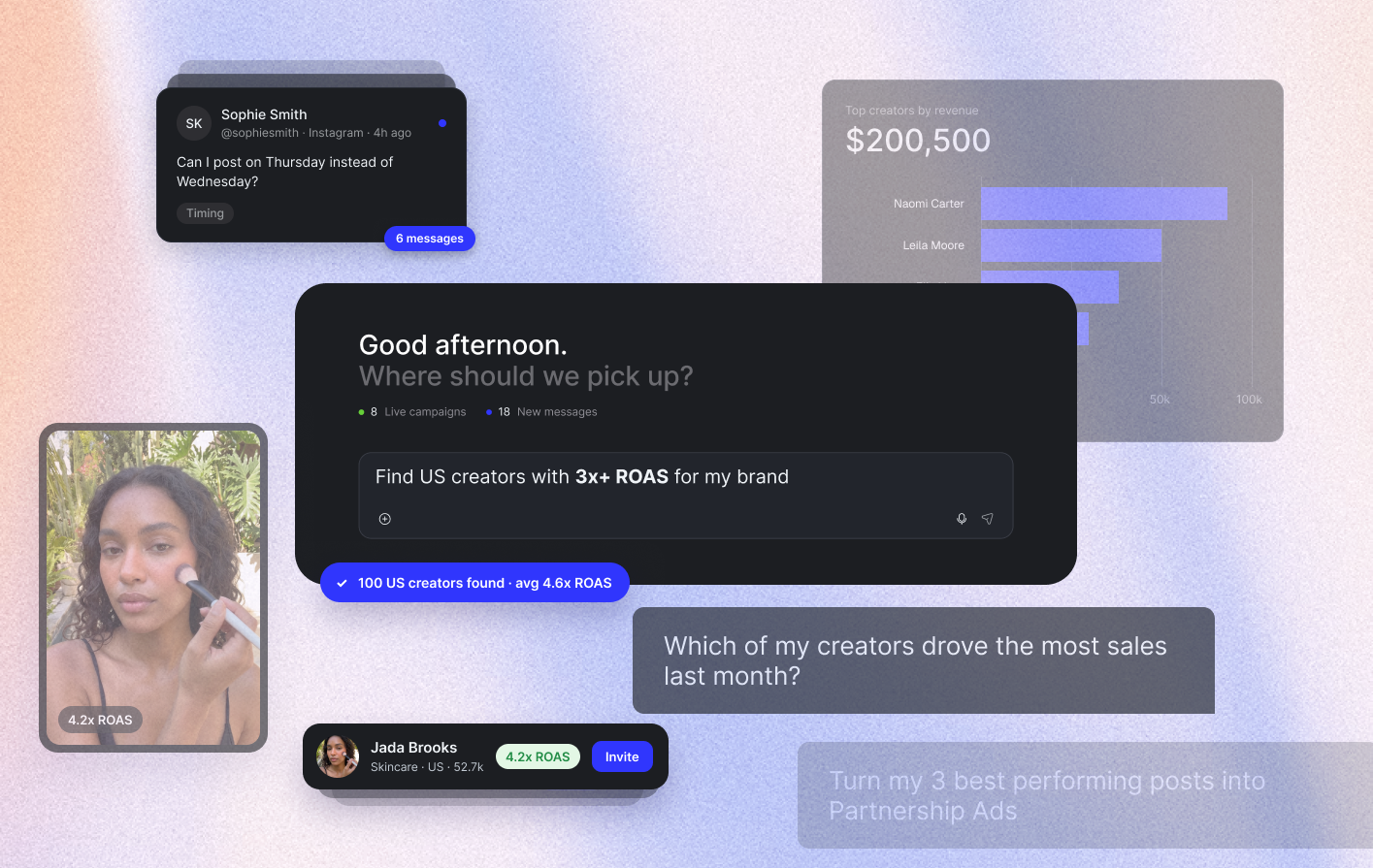
What would you do with your week back?
Think about how much of it goes to creator admin. Sorting applicants. Writing briefs. Chasing rates. Checking every video. Pulling numbers from three ad accounts to build one report.
Copilot takes that off your plate. It's live for every team on The Cirqle today.
Mat leads the agentic team that built it. In the video below, he takes you under the hood: how Copilot grew out of our MCP, what the team learned building it, and why moving it into the platform makes the answers you get better.
"It's mind-blowing. You can come in from just pasting your product URL, dumping a PDF or answering a few simple questions, and it can write your whole campaign for you."
Below, we've pulled out what that means for your day-to-day.
Here's how it works. You tell it what you want. It does the work. You approve what goes out.
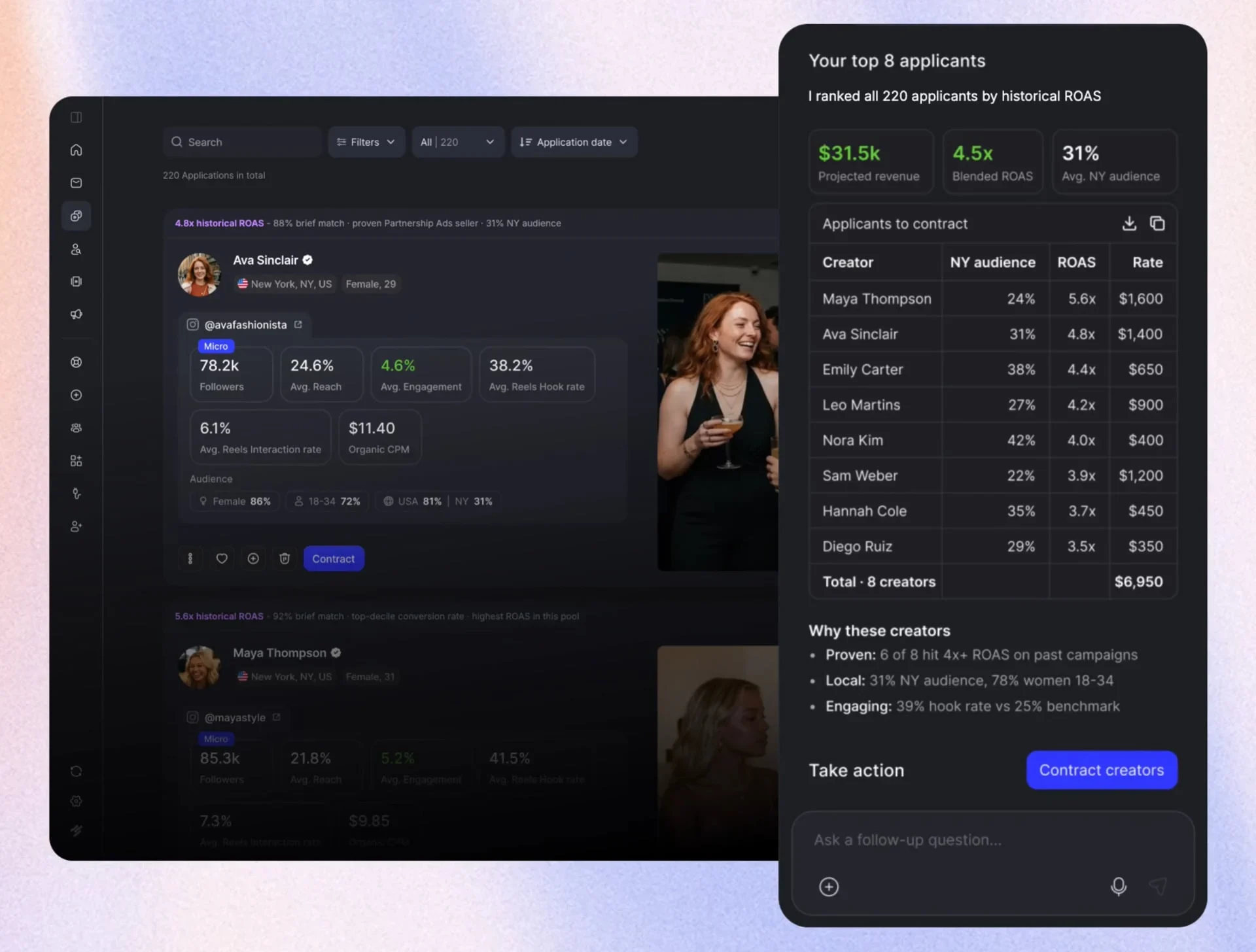
Paste your product URL, drop in a PDF, or answer a few questions. You get a full brief back, built on what's worked across thousands of campaigns over ten years. Send it out, and creators start coming to you.
Just say "find creators for my brand." You don't need to explain anything. In Mat's demo, it came back with 500 creators. It already knows your website, your past campaigns, your content and your ad accounts, so the list fits your brand from the start.
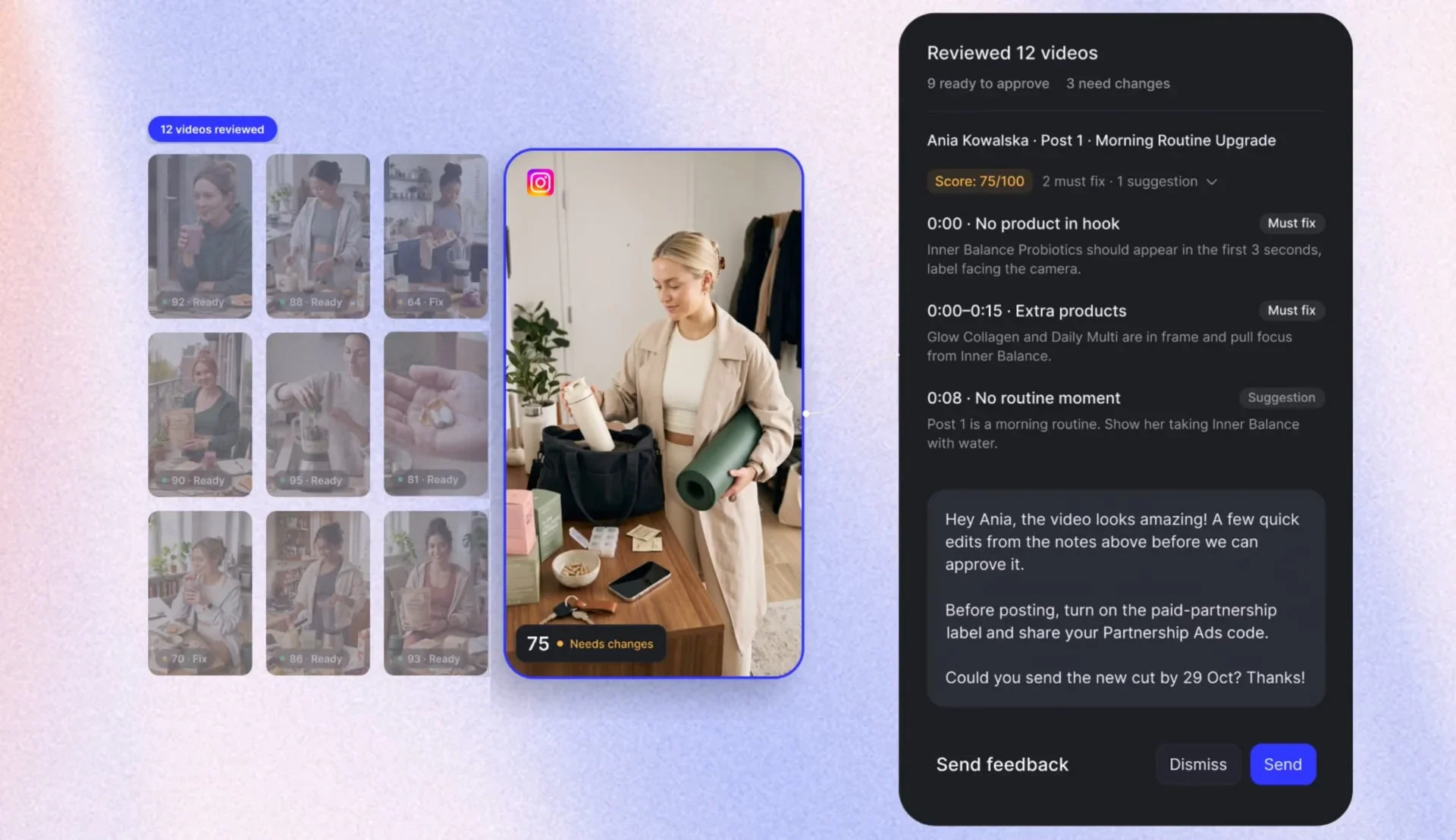
Creators ask a lot of questions. Say "draft replies to my messages." You'll see every reply, plus why it wrote it that way. Read it, then hit send.
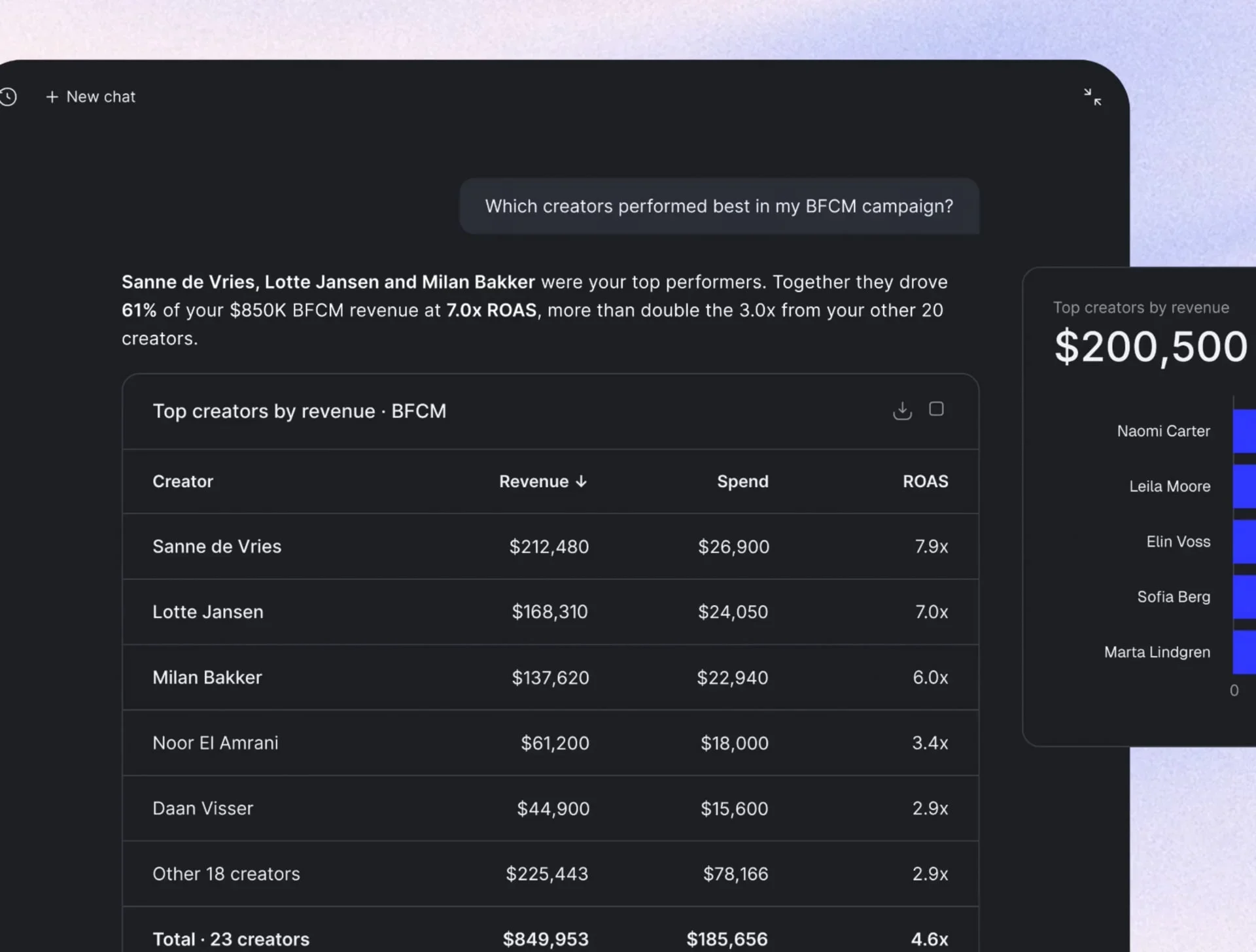
Ask for your numbers the way you want them. Mat asked for "my live campaign performance overall and ROAS over time." He got a table he could download and a ROAS line graph. Then ask the next question: which posts should I turn into ads?
Not sure where to take your program next? Just ask. No ticket to open, no call to wait for.
The first thing most teams ask is: will it go off and do things on its own?
No. Copilot checks with you before it does anything that touches a creator, a contract or your budget.
This is the technical story Mat tells in the video. Copilot started as an MCP, so you could run The Cirqle from your own AI assistant. (Mat thinks it was a first in the industry.) Teams who use it, use it a lot.
Bringing the agent into the platform gives you four things on top of that.
In-platform, the team can see every response the agent gives and how you rate it. Every thumbs up, every thumbs down and every session shows what you actually need. So the agent improves around the way you work, and it does it much faster.
The agent searches a dedicated knowledge base on every request, so it understands what you're really asking and answers with the right information.
No tools to connect. No extra steps. Log in, and it's there.
Custom components put creators, content and performance graphs right in the chat. That's something an MCP can't do. You see what's working at a glance.
Bottom line: you get an agent that keeps getting better at running your program, with nothing to install.
Already on The Cirqle? Open the chat and ask it something.
New to The Cirqle? 👉 Book a demo and watch our agent work for your brand, live on the call.
Give your team the power and speed they need to find the right partners and grow your brand.